Personal Access Tokens
Personal Access Tokens (PATs) provide an alternative authentication method for accessing git repositories over HTTP. Unlike API keys, PATs can be scoped to specific repositories, set to read-only or read-write, and configured with expiration dates.
Global Configuration
To enable PAT authentication globally, navigate to Admin > Settings > Git and enable the option Allow Personal Access Token (PAT) authentication for git repositories.
When enabled, users can create personal access tokens to authenticate with git repositories using HTTP Basic Auth.
Per-Repository Configuration
Each git repository has a pat_access setting that controls whether PATs are
allowed for that specific repository. The possible values are:
- inherit (default): Uses the global configuration setting.
- true: Allows PAT access regardless of the global setting.
- false: Disables PAT access regardless of the global setting.
Creating a Personal Access Token
- Navigate to your User Preferences page (click on your avatar > Preferences).
- Scroll down to the Git Personal Access Tokens section.
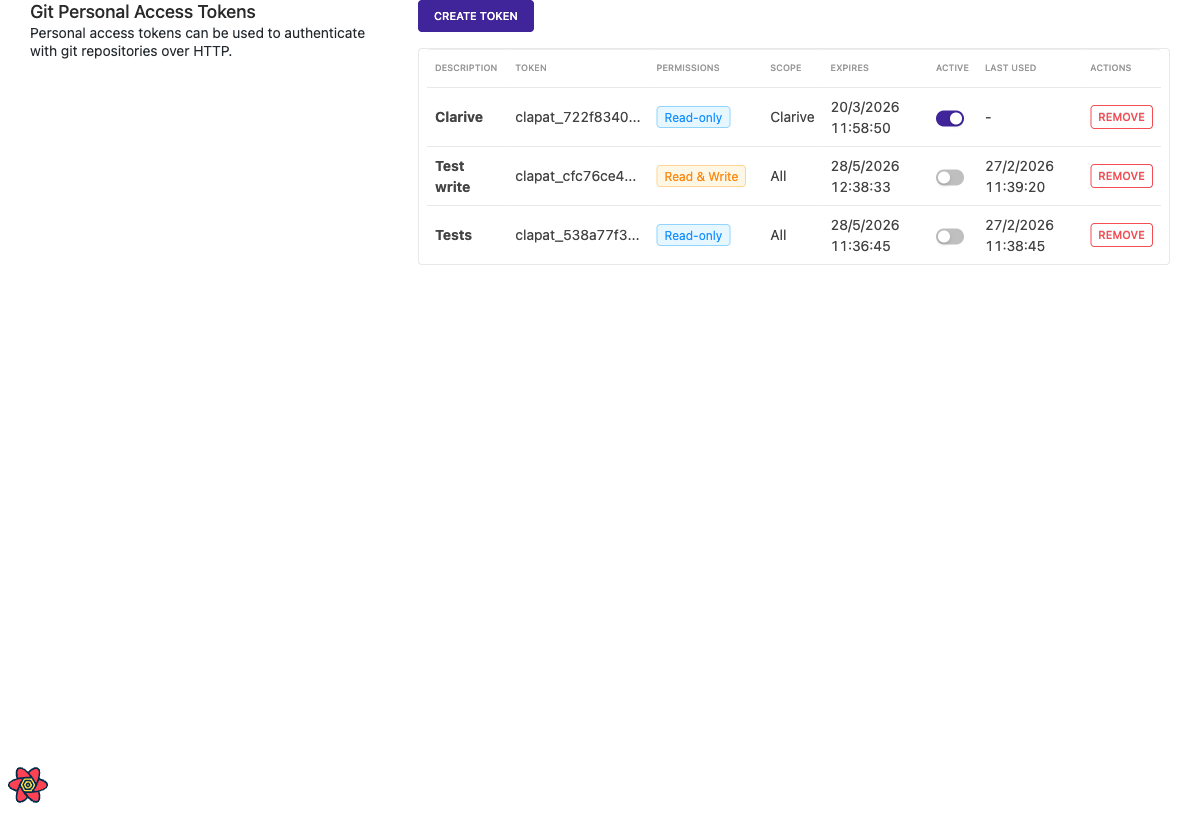
- Click Create Token.
- Fill in the form:
- Description: A short description of what the token is used for.
- Expiration: Set the expiration period (minimum 1 week, maximum 2 years).
- Repository Scope: Optionally select specific repositories. Leave empty for access to all repositories.
- Permissions: Choose between Read-only or Read & Write access.
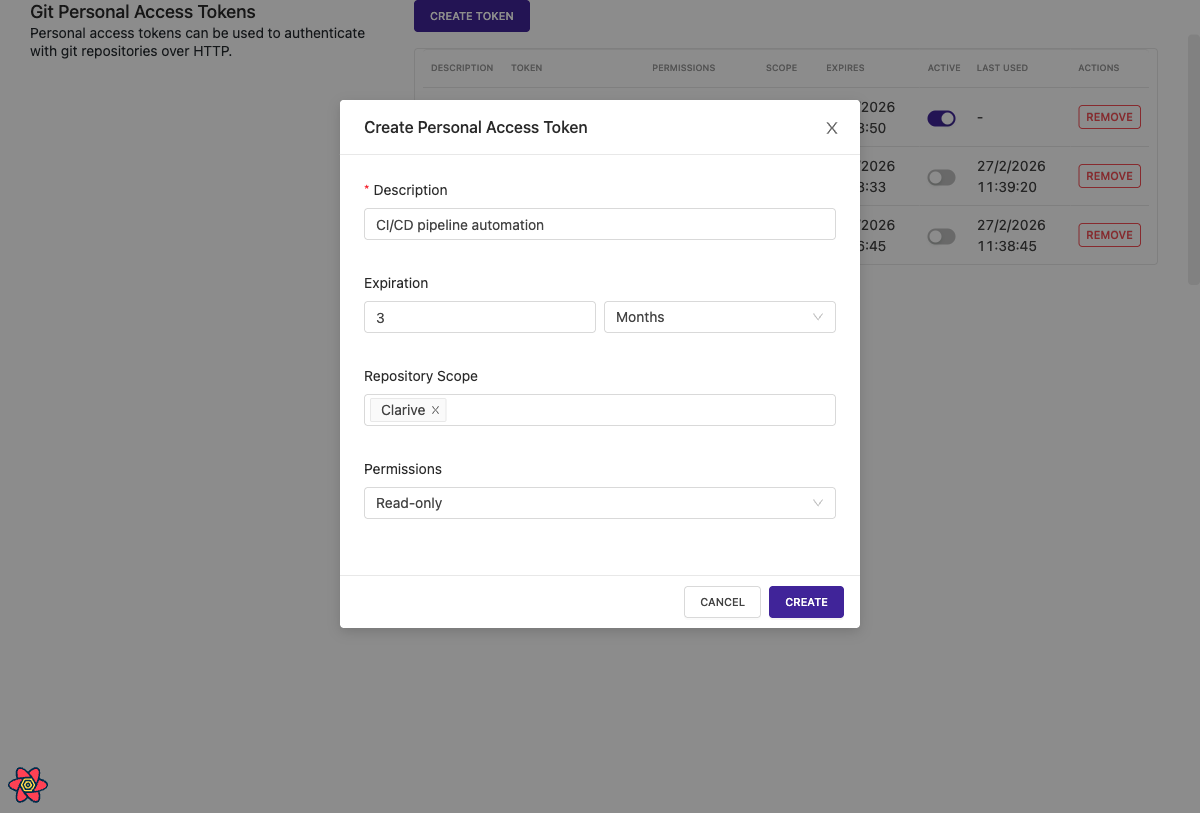
- Click Create.
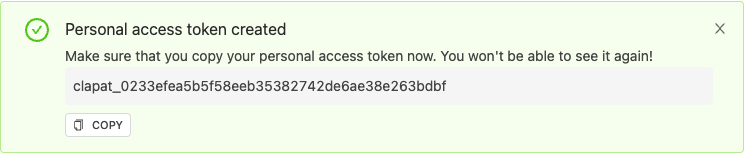
- Copy the token immediately. The token will only be shown once and cannot be retrieved later.
Using a PAT with Git
Use the PAT as a password when performing git operations over HTTP:
git clone https://your-username:[email protected]/git/project/repo
Or configure git to prompt for credentials:
git clone https://clarive.example.com/git/project/repo
# When prompted:
# Username: your-username
# Password: clapat_your_token_here
Managing Tokens
In the Git Personal Access Tokens section of User Preferences, you can:
- View all your tokens with their description, permissions, scope, and expiration.
- Edit a token's description, repository scope, or permissions by clicking the Edit button.
- Toggle tokens active or inactive using the switch.
- Remove tokens permanently.
Security Considerations
- Tokens are stored as one-way SHA-256 hashes. The plaintext token is only shown once at creation time.
- Expired tokens are automatically rejected.
- Deactivated tokens cannot be used for authentication.
- Tokens with a repository scope can only access the specified repositories.
- Read-only tokens cannot push changes to repositories.
- Treat personal access tokens like passwords. Do not share them or commit them to version control.